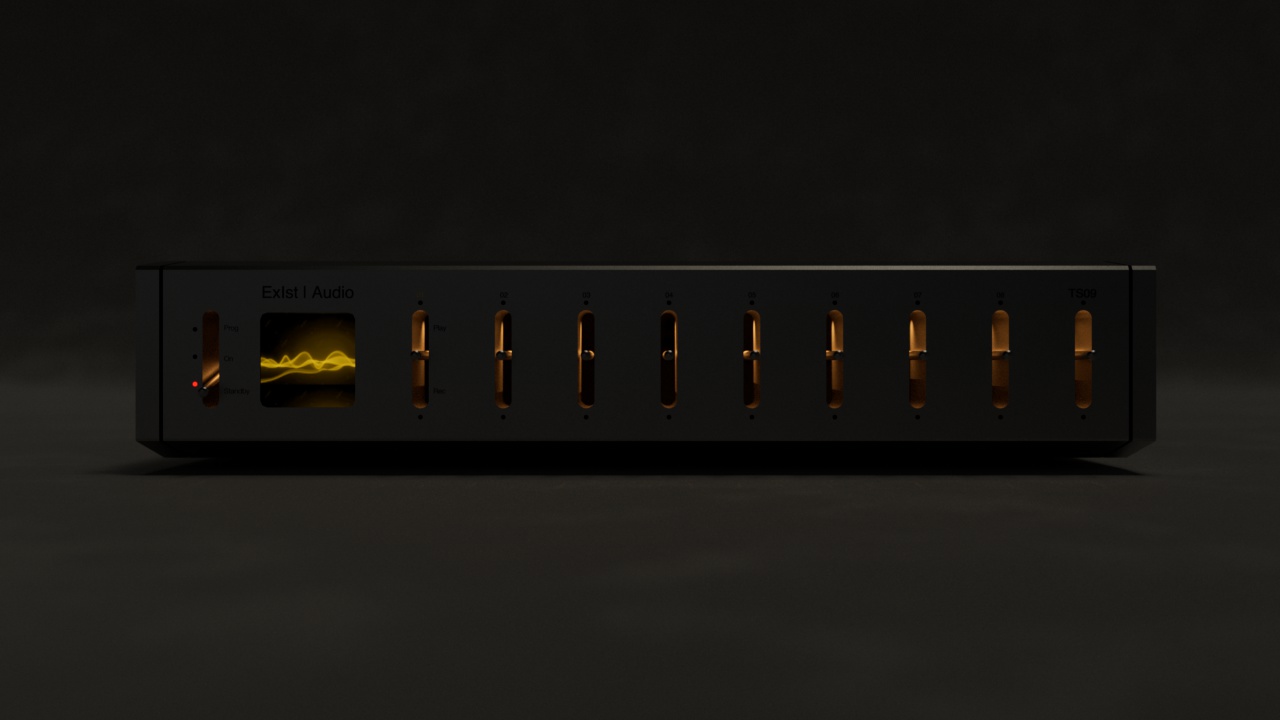
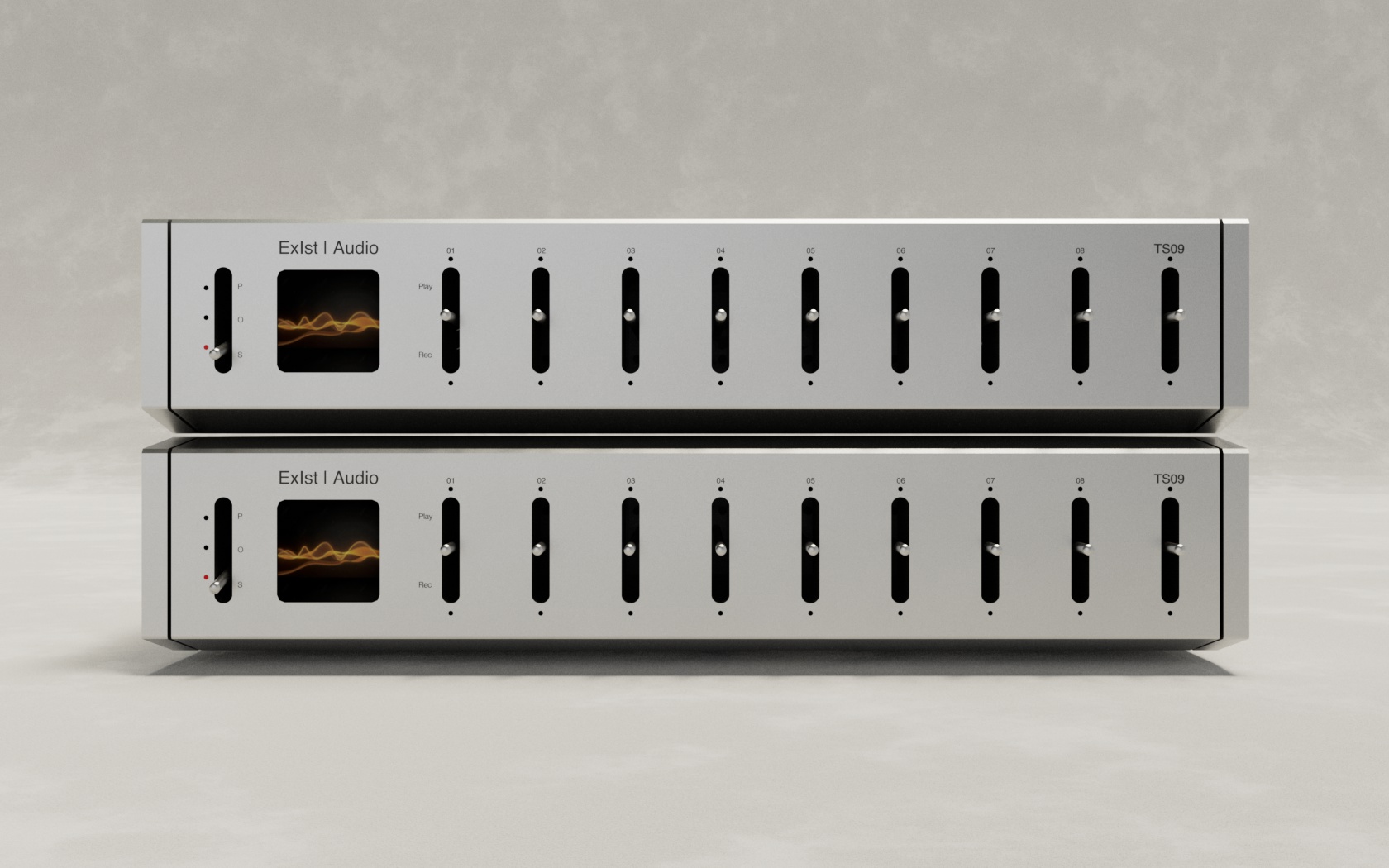
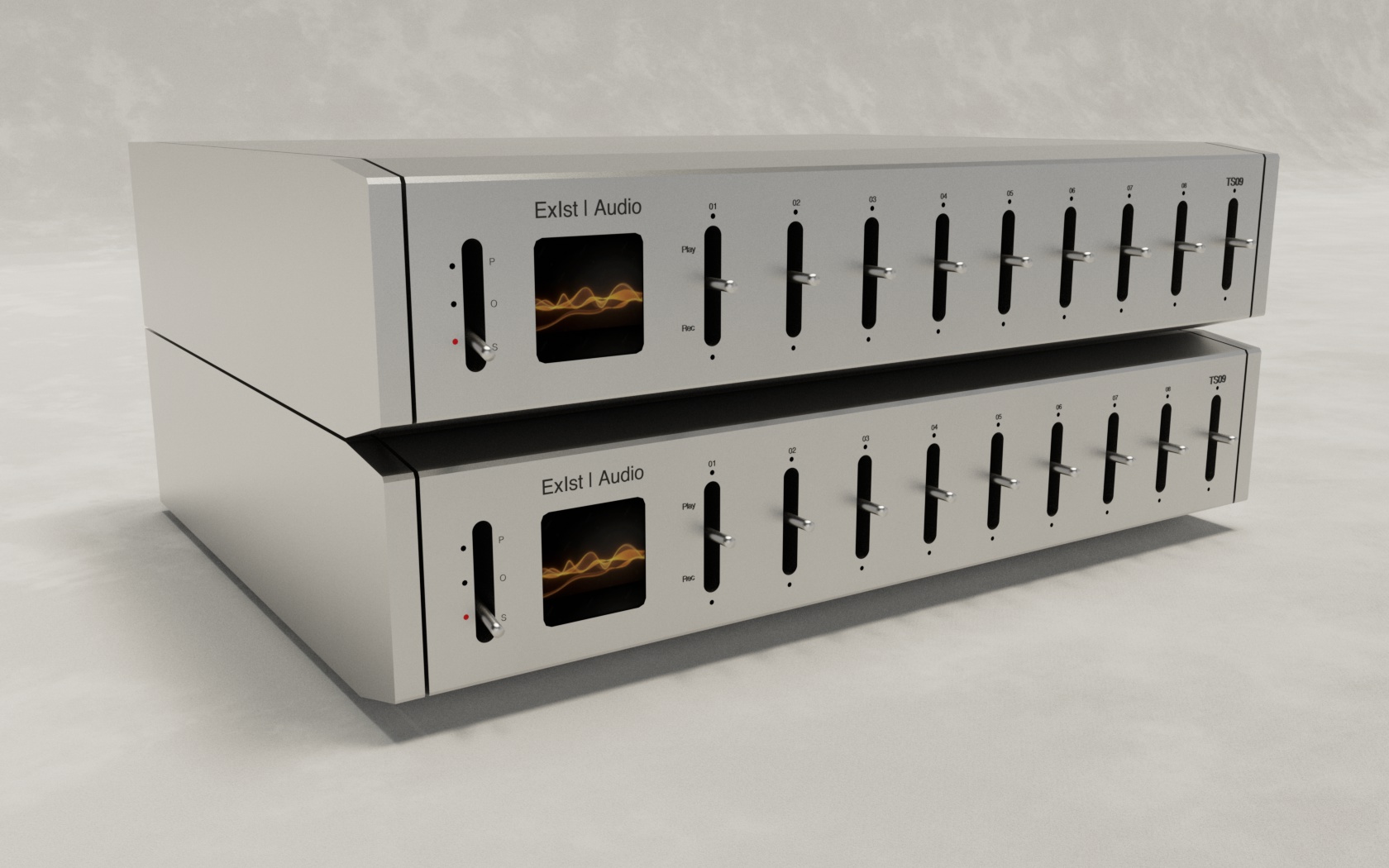
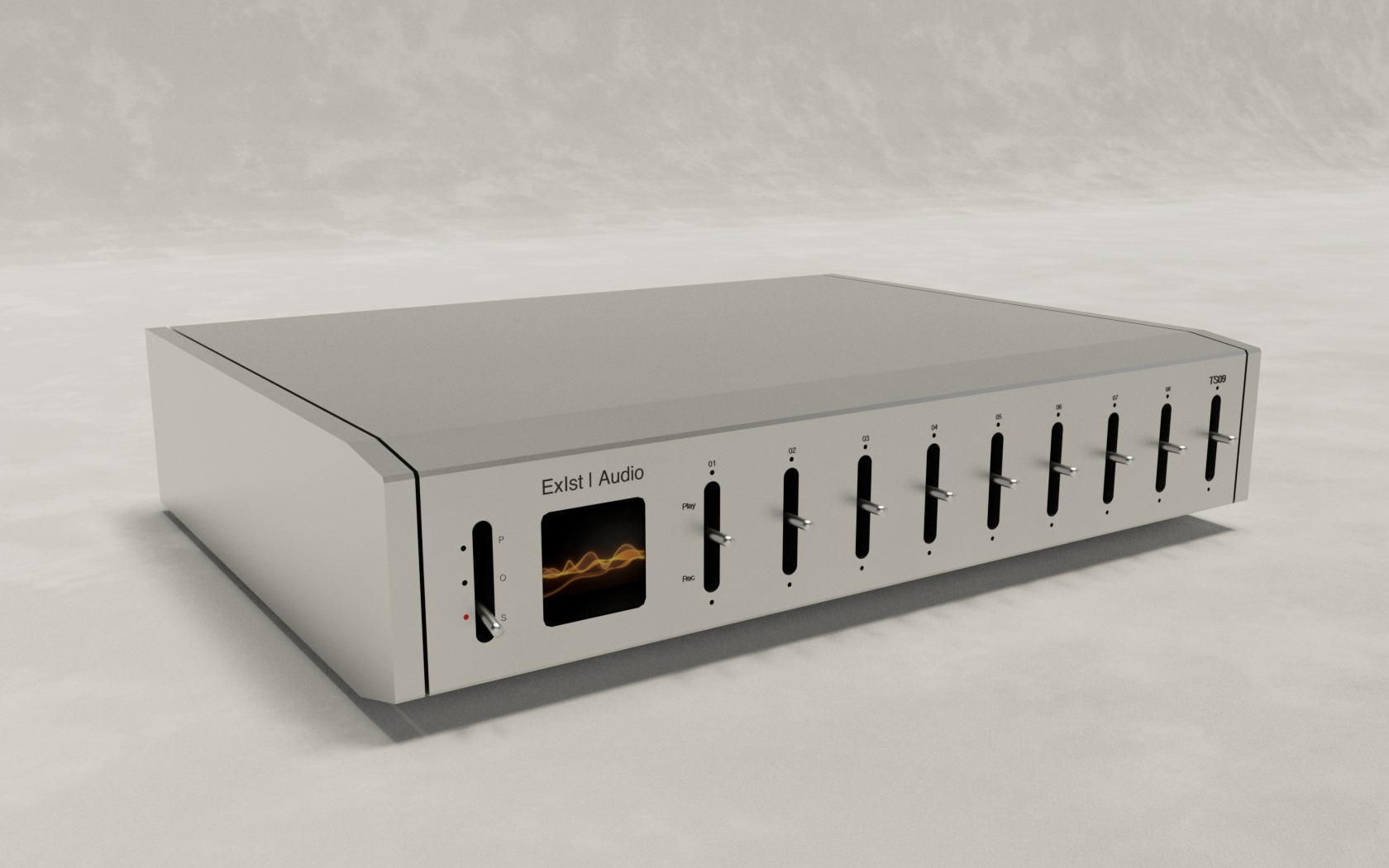
TS09 Side View

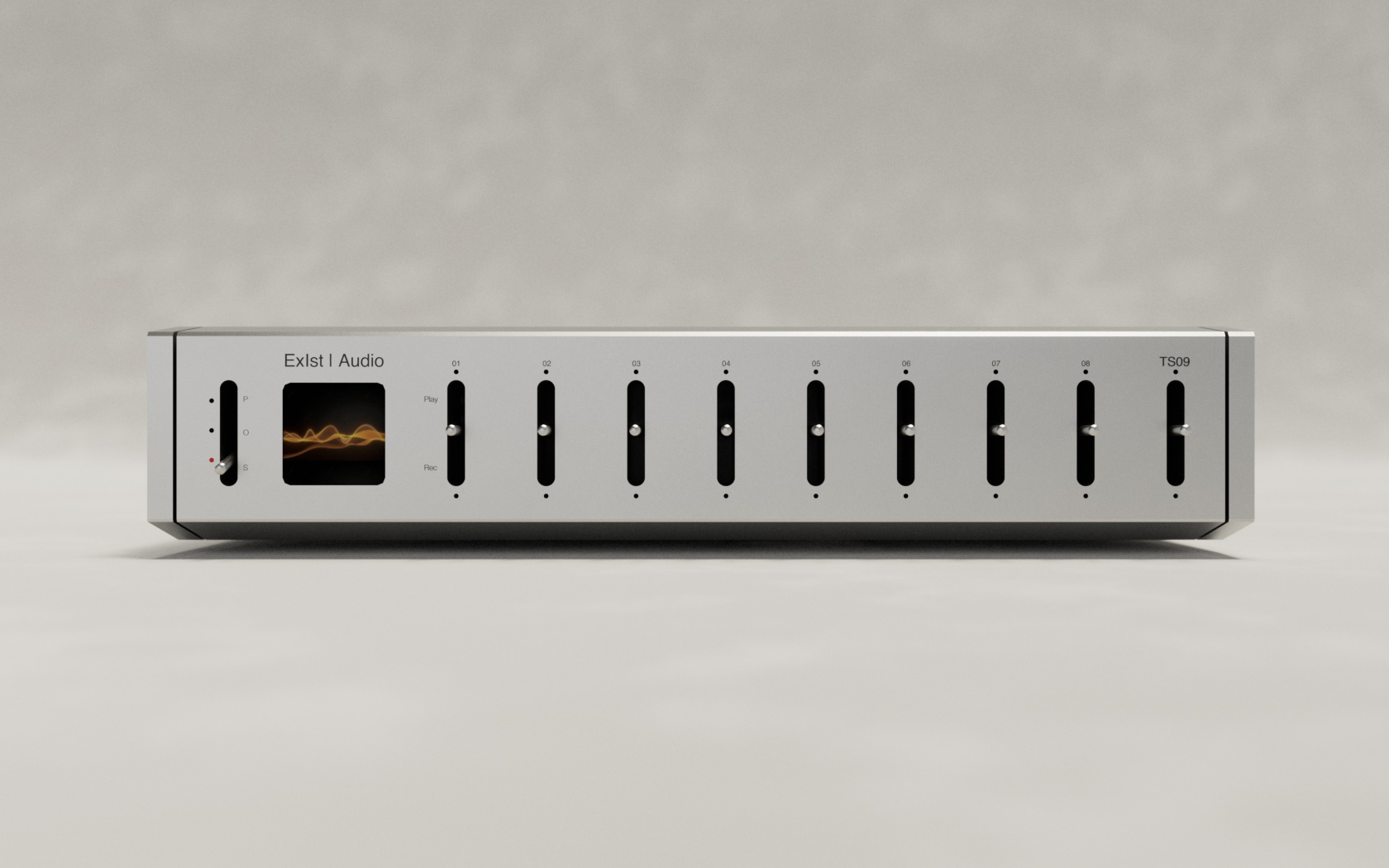
TS09

Engineered for the Audiophile. Built for the Studio.

A broadcast-grade, 9-channel networked analog routing matrix. A direct, drop-in replacement for a vintage tape deck, with premium vertical Grigsby-style lever switches, an interactive 1.3" gesture-based touchscreen, a dedicated amplifier tape loop interface, triple-path metering telemetry, and Night Mode ambient lighting across all ten lever housings. Seamlessly integrated with the 09App.

View Finishes
Key Features

Redefining Analog Routing

TS09 Front View

9-Channel Inter-selectable Routing

Play from one machine while recording to two others. A 9-to-1 play summing bus and 1-to-9 record distribution bus, with zero signal degradation.

1.3" Touch UI

A high-contrast touchscreen. Swipe to switch categories, tap to select. On-device mode cycling and preset naming.

Amplifier Tape Loop Interface

Dedicated AMP IN and AMP OUT connectors let the TS09 replace a single tape deck in a standard amplifier tape loop.

Network-Aware Erasure Protection

If any unit on the network enters Record, all Play indicators instantly shift to blue — preventing accidental tape erasure.

Pop-Less Switching

Precision muting and gold-contact relays make every transition completely silent.

True Chain Kill

A rear master switch cuts power to the whole daisy chain. One switch silences every unit on the line.

Premium Grigsby Levers

10× vertical 3-position Harley Benton / Oak Grigsby-style toggles with rectangular mounting plates. Up / Center / Down — genuine tactile feedback.

Yellow Focus Feedback

Turn the MC09 rotary selector and the corresponding TS09 channel flashes yellow, then fades smoothly back to its operational state.

Six Programmable Modes

One Matrix. Six Workflows.

Configurable via touchscreen or 09App and stored in non-volatile flash. Every mode executes with pop-less muting.

01 · Source Direct

Bypass the tape path entirely and route the source straight to the output.

02 · Tape Playback

Route all active Play channels to the main output.

03 · Single Channel Monitor

Isolate and monitor one specific deck or source.

04 · A/B Compare

Rapidly toggle between Source and Tape for critical listening.

05 · Custom Mix

Route a user-defined combination of channels to the output.

06 · Input Monitor

Route the Record Input to the output to check incoming signal.

On-Device UI

Gesture-Based Smartwatch UI

The TS09's 1.3" display runs a full gesture-based interface optimised for the compact form factor. Swipe up/down to scroll channel lists. Swipe left/right to switch categories. Tap to select. Long-press for context menus. All without leaving the device.

Mode Cycling

Switch between all six programmable modes directly on the device. Changes propagate instantly to the 09App and MC09 via shared ecosystem state.

Preset Naming

Hybrid text input: scroll through professional presets (e.g., "Technics RS-1500", "Nakamichi Dragon"), or use the 3×4 T9 keypad for short custom names. Full QWERTY editing delegated to the 09App.

Night Mode Control

Toggle Night Mode and adjust the 3 TS09 zones (Lever Housing, RGB Status, LCD) directly from the touchscreen. Changes sync across the ecosystem.

Peak & Spectrum Config

Adjust Peak attack, decay and hold on-device. Configure the Spectrum Analyzer's resolution and update rate. Changes apply instantly.

Ambient Lighting

Night Mode · Lever Illumination

A warm indirect wash behind all ten front-panel lever housings. Carefully diffused light and CNC-machined baffles deliver a soft, even glow — no visible hot-spots, no internal light bleed. A routing matrix that feels as considered in a darkened studio as it does under full light.

TS09 Day Mode TS09 Night Mode · Warm Lever Illumination

All 10 Levers

Every lever housing diffuses the light evenly. The warm wash is uniform across the entire front panel — no channel is left in the dark.

CNC Light Baffles

Internal baffles behind each lever plate direct the warm light outward toward the user, with zero internal bleed.

3 Controllable Zones

Lever Housing (warm wash), RGB Status (functional state LEDs), and display. Each zone responds independently to the 09App or touchscreen.

RGB Coexistence

The RGB status LEDs dim down in Night Mode to maintain state visibility without glare. Yellow Focus Flash and Blue interlock remain fully legible.

🛡 Interlock Visibility Floor

When the network record interlock is active, the blue status always stays visible — no matter how low you set Night Mode or your master dimmer. Safety indicators never disappear.

Metering Source

The Triple-Path Metering Engine

The TS09 is the metering source for the entire ecosystem. It measures the audio once and feeds three parallel references — VU, Peak and Spectrum — each kept smooth and independent, so a busy spectrum never disturbs the level meters. All three are unified into a single, perfectly-synced reference shared across the ecosystem.

VU Engine

Classic VU ballistics. Drives the MC09's physical analog VU needles. The perceived-loudness reference.

Peak Engine

Near-instant response with configurable decay. Drives the 1.3" displays and the 09App's full-size meters. Captures transients the VU needles cannot.

Spectrum Engine

A 20-band spectrum covering the full audio range, with per-band peak hold. Runs independently so it never disturbs the level meters.

Isolated Measurement Paths

Separate, isolated measurement paths for VU/peak and for the spectrum, so neither interferes with the other.

Pluggable Architecture

Future firmware updates can add PPM and True Peak algorithms without hardware changes. The ballistics engine is modular by design.

Unified Telemetry

The TS09 shares one unified reference containing VU, Peak and Spectrum together. The MC09 hub passes it on to the 09App, smoothly interpolated.

09App Integration

Ecosystem Aligned

The TS09 speaks the same language as the MC09. The 09App treats both units identically, with a unified state model, shared error codes and multi-client sync.

Secure Pairing

The 09App requests a pairing token. The TS09 displays a 6-character code on its 1.3" touchscreen. Enter it in the app, and the session is encrypted and stored locally.

Physical Authority

The physical levers always hold absolute authority. If a lever is moved while the app has a pending command, the unit instantly updates and shares the new state. The app snaps to reality — no error, no confusion.

Honest Error Codes

Route conflicts, active interlocks, power warnings and unsupported states — all handled with clear, explicit feedback, never silent failures.

Independent by Design

Each job — control, metering, networking, power — runs independently, so a busy spectrum never slows your routing or your transport.

Scalable Architecture

Expand Your Routing Matrix

The TS09 daisy-chains over a single cable. We recommend up to 4 units per port of a standard power supply. For configurations of 5 or more units, a higher-capacity power supply is recommended to keep everything stable.

TS09 Stack Front TS09 Stack Side

The Audiophile & Studio Experience

Absolute Signal Purity: Gold-contact relays and precision buffered distribution. The signal path is designed to be entirely transparent.

Analog Measurement Branch: A high-impedance tap placed before the routing relays feeds a precision measurement stage, reading the level without loading the audio path — so the meters never affect your sound.

Spectrum Analyzer: A dedicated audio-grade measurement path taps the signal before routing, running independently from the level meters. Isolated from the VU/peak path to guarantee stability.

Analog Ballistics, Digital Precision: A digital ballistics engine reproduces the movement of a real moving-coil meter on the MC09's physical VU instruments.

How It Works: The Audio Path

Nine RCA inputs feed the muting and relay stage before the main Play output. The Record bus runs from the main Rec input through a buffered distribution amplifier to nine individual deck outputs.

How It Works: The Network

Two network ports bridge the units in a daisy chain. Power arrives over the same cable and passes through to the next unit. Safety interlocks and metering telemetry travel over the network.
Reference Configuration

A Real Studio Fleet

The default 1:1 channel mapping used across firmware, 09App and ecosystem demonstrations.

Channel 01Focusrite Scarlett Duo · In/Out
Channel 02Technics RS-1500 · In/Out
Channel 03Nakamichi Dragon · In/Out
Channel 04Nakamichi Dragon · In/Out
Channel 05Nakamichi Dragon · In/Out
Channel 06Technics RS-1500 · In/Out
Channel 07Technics SL-1200 · Source only
Channel 08Technics SL-P1200 · Source only
Channel 09Unassigned / Expansion

Interested in the TS09?

View Finishes Submit an Inquiry